
How to use this site
[Registration]
Please make sure that you can receive from these two addresses.
support@auc-kingdom.com
auction@app-sp.webkul.com
support@auc-kingdom.com
auction@app-sp.webkul.com
①Check to see if you meet the requirements here.

②Tap the menu bar
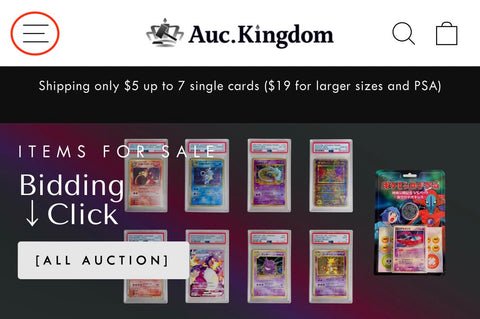
③ Tap the Log in
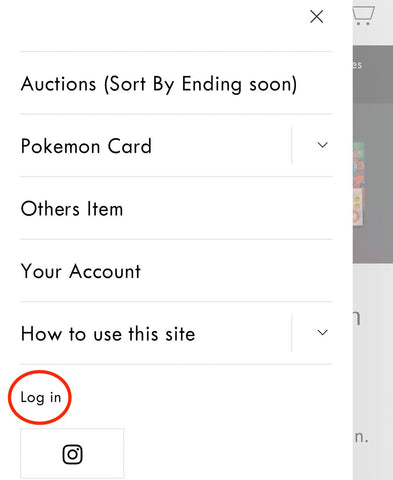
④ Tap the Create account
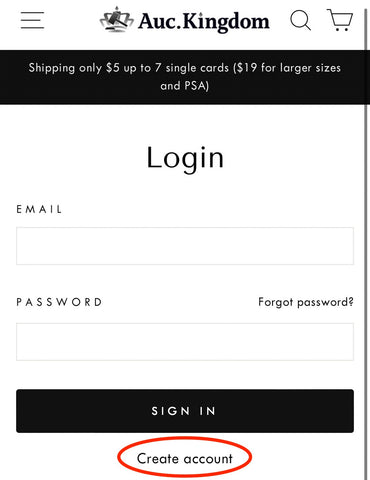
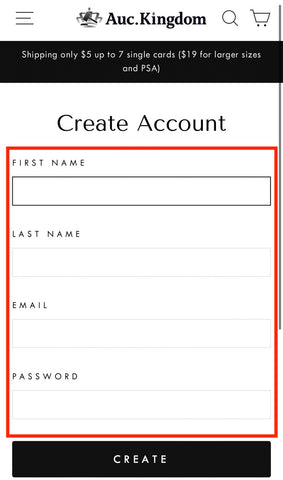
⑤Enter information accurately
[Bidding Method]
①Find products you are interested in
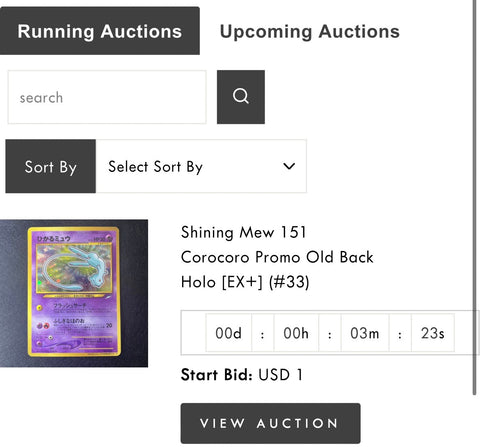
②Check the bid amount and place your bid
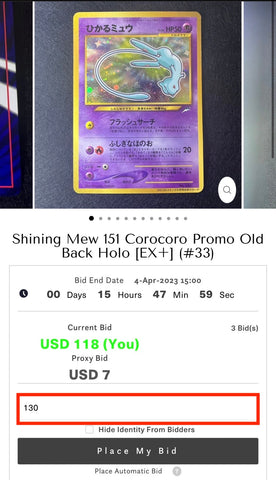
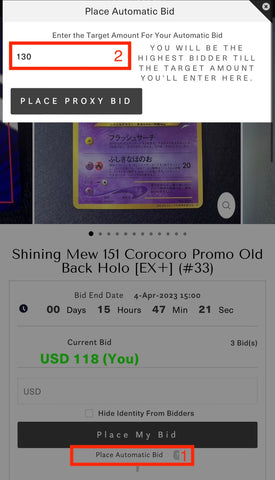
③PROXY BID
Busy people should use Proxy Bid.
Proxy Bid is a feature that allows you to bid "as low as possible".
As long as you are within the amount you entered in Proxy Bid, it will automatically bid just $1 higher than the highest price entered by your competitors.
In other words, you can renew your highest bid at a great price.
And you don't have to stay at the auction all the time because it automatically updates each time.
①Check the [Place Automatic Bid]
②Check the bid amount and place your bid.
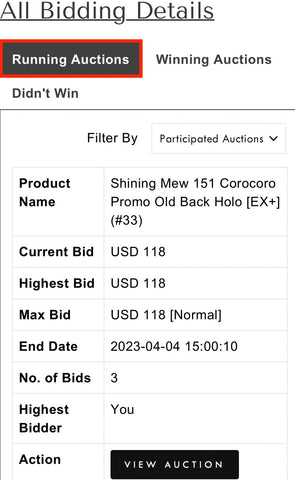
④BIDDING CONFIRMATION METHOD
(1)TAP THE MENU BAR
(2)VIEW YOUR BIDS
(3)RUNNNING AUCTIONS
[From bidding to payment]
①VIEW YOUR BIDS from My account
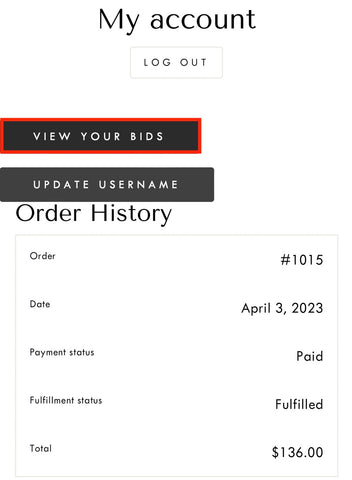
②Confirm your bid and BUY NOW
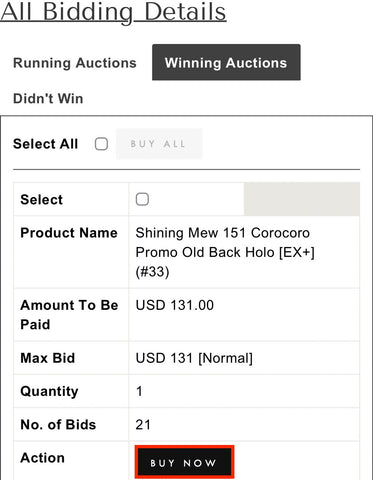
③Move to cart and CHECK OUT
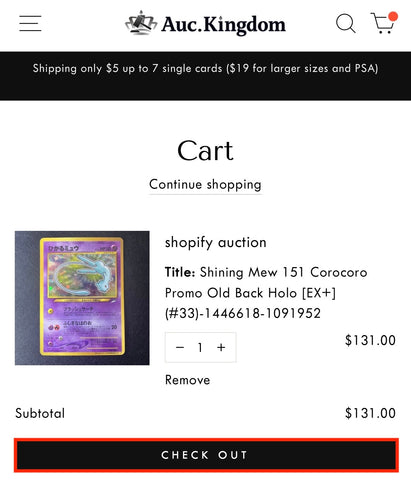
④Enter exact address
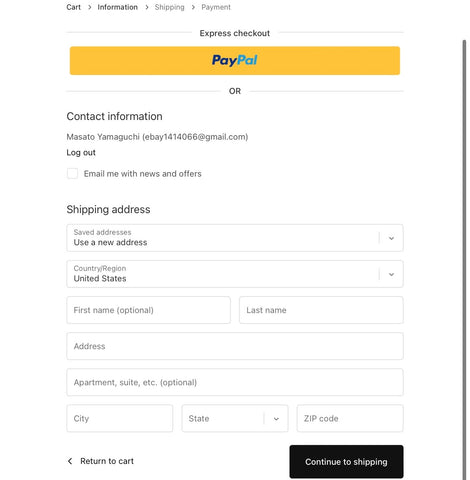
⑤Check Shipping Charges
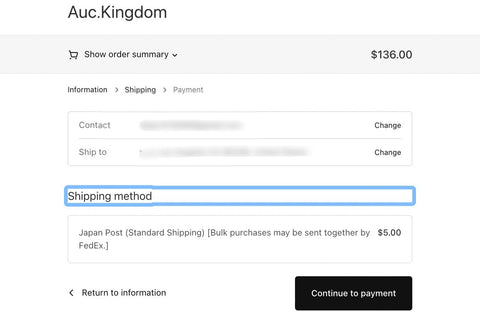
⑥Settlement by PayPal
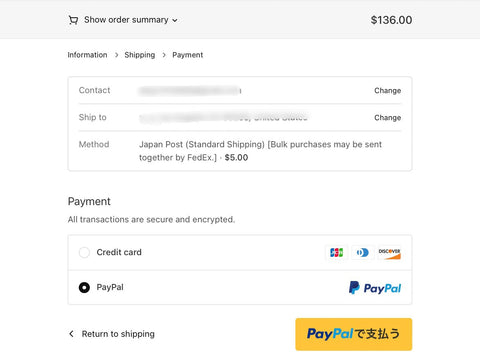
⑦Order Completion Screen
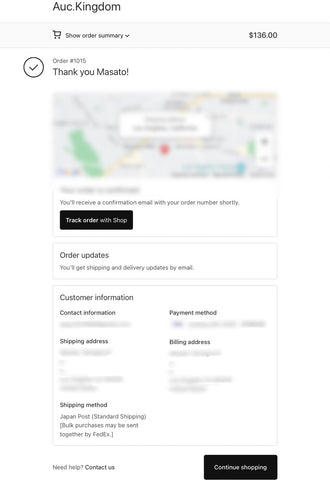
After winning a bid, the item will be shipped within one week.
We will notify you by email, so please make sure you can notify us at the address below.
We will notify you by email, so please make sure you can notify us at the address below.
support@auc-kingdom.com
auction@app-sp.webkul.com
auction@app-sp.webkul.com
